
KIRBY VACUUM FAN REPAIR
+VACUUM CLEANER GUIDES
- Kirby Vacuum Cleaner Guide
- Kirby or Dyson - Which is Better?
- Best Kirby Vacuum For You
- Rainbow Vacuum Guide
- Oreck Vacuum Guide
- Kirby Vacuum Bag Guide (Which Bag To Use?)
- Bags vs. Bagless Vacuum - Which is best?
- The Best Vacuum Cleaner
- HEPA Vacuum Cleaner Filtration
- Picking the Perfect Commercial Vacuum or Cleaner
+VACUUM MODEL DIFFERENCES
+VACUUM USE & MANUALS
+REPAIR & TROUBLE SHOOTING
+VACUUM HISTORY

Here at Great Vacs we sometimes get asked how you replace a Kirby fan. Usually a fan breaks or cracks because you picked up something metal or hard when you were vacuuming. So this will tell you how to replace it. Tools needed are a flat head screw driver, 9mm end wrench and a long nail or vice grips, phillips head screwdriver for models G3 and G4; and a star bit screw driver for models G5 and up.
NOTICE - This website is ONLY for our customers and employees. If you have not bought from us you are not authorized to view this document. Also GreatVacs and any of its parent or child companies are not liable for any work you do on your vacuum. If your vacuum needs repaired or fixed in any way you need to send it to an authorized repair center. Any work done by anyone reading this document assumes all liability and risks to themselves, others around them and any property that may be damaged. Great Vacs has written this document for informational purposes only and assumes no risk or liability in any way. Thanks, Dustin
All information that we have provided is third party information. The information contained is just what we have learned over the years from repairing and rebuilding Kirby vacuums. All information and statements are merely our opinions. All official and technical information on Kirby vacuums is not contained within this information. For that information you need to contact the Kirby company or your local distributors. We are not a Kirby distributor nor are we associated in any way with the Kirby Vacuum company. We don't claim to include all information in this document but if there is something that you would like us to add, please let us know. By doing the work yourself you assume all liability and responsibility of doing so yourself. It is suggested that this work be performed by a vacuum service center.
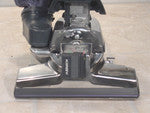
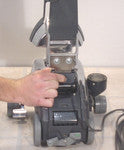
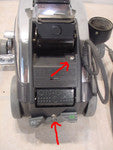
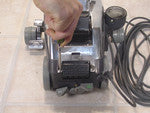
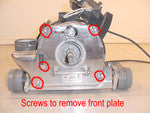
The main steps to replacing the fan is taking the vacuum apart to be able to get to the fan. The following steps are how to take it apart.CLICK ON ANY OF THE THUMBNAILS TO SEE FULL SIZED PICTURE!



SERVICE@GREATVACS.COM
POPULAR COLLECTIONS



POPULAR COLLECTIONS

- Choosing a selection results in a full page refresh.
- Opens in a new window.